
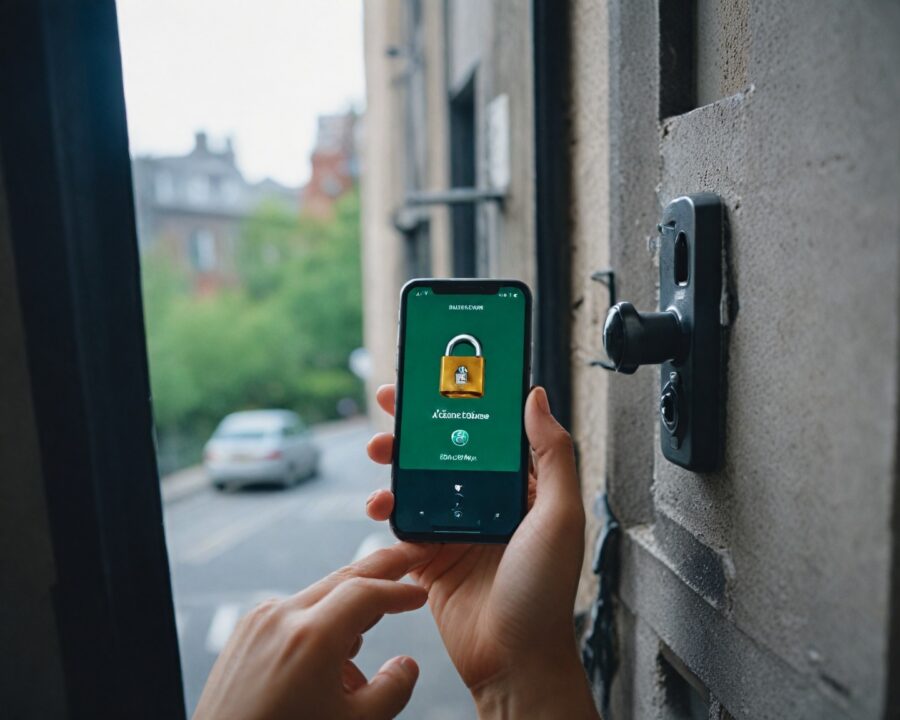
Introduction
In today’s digital age, our personal information has become an incredibly valuable commodity. With every click, swipe, and tap, we add more pieces to a puzzle of our digital identity, a portrait that can be used, misused, or sold to the highest bidder. As we become increasingly reliant on digital technologies in our everyday lives, from online banking to social media and smart home devices, safeguarding our personal data has become paramount. This concern makes understanding online privacy not just a technical necessity but a fundamental skill for navigating the digital world safely and confidently.
The growing number of data breaches and cyberattacks highlights the vulnerabilities we face online. Phishing scams, identity theft, and unauthorized access to private information are more prevalent than ever, emphasizing the importance of taking active measures to protect our personal data. This article delves into effective privacy tips, elaborating on how to defend against common threats, the significance of strong passwords, and best practices for safe browsing. As we explore these strategies, you’ll be equipped with the knowledge to enhance your digital security, ensuring a safer online experience.
Understanding the Importance of Online Privacy
Online privacy is the practice of safeguarding your personal information from unauthorized access and misuse. In our interconnected world, maintaining your privacy online means controlling how your data is collected and shared, which, in turn, helps prevent it from being misused. From social media activities to online shopping and browsing history, every action we take online can reveal significant amounts of personal data. Understanding the scope and implications of this data collection is the first step towards protecting it.
The implications of not prioritizing online privacy can be severe. Personal data can be exploited in numerous ways, including identity theft and financial fraud. Cybercriminals use various tactics to gain access to sensitive information, which can lead to unauthorized transactions, reputational damage, and significant distress. Furthermore, corporations can also exploit our data, often without explicit consent, to manipulate our online experiences for commercial gain, such as targeted advertising based on our browsing habits.
Enhancing online privacy involves educating oneself on the various tactics used by both malicious entities and legitimate organizations. By understanding these practices, individuals can make informed decisions about what data to share, how to secure their information, and how to use online tools and platforms responsibly. This awareness forms the bedrock of a proactive approach to digital security, empowering users to take control of their privacy in the digital landscape.
Common Threats to Your Personal Data
The digital landscape is rife with threats to personal data, each presenting unique challenges for maintaining privacy online. These threats are continually evolving, requiring users to stay informed and vigilant to protect their information effectively. The most common threats include phishing attacks, malware, and data breaches.
Phishing attacks are one of the most widespread methods used by cybercriminals to steal personal data. These attacks often involve deceptive emails or websites that masquerade as legitimate entities, tricking users into revealing sensitive information such as passwords or credit card numbers. The key to combating phishing is identifying suspicious communications and verifying authenticity before engaging.
Malware, or malicious software, is another prevalent threat to personal data. Malware can take many forms, including viruses, ransomware, and spyware, and is often designed to infiltrate computer systems to steal data, disrupt operations, or demand ransoms. Regularly updating software and using reputable antivirus programs can help prevent malware from infecting devices.
Data breaches occur when unauthorized individuals gain access to confidential data, often through exploiting vulnerabilities in systems or networks. These breaches can result in significant data leaks, including personal information such as names, addresses, and financial details being exposed. To mitigate the damage from data breaches, using strong, unique passwords and regularly monitoring accounts for suspicious activity is essential.
How to Create Strong and Secure Passwords
Creating strong passwords is a fundamental step in protecting your online privacy. A strong password acts as a robust barrier against unauthorized access, safeguarding your personal information and online accounts. The challenge lies in creating passwords that are both secure and memorable.
A strong password should have at least 12 characters, including a mix of uppercase and lowercase letters, numbers, and special symbols. Avoid using easily guessed combinations, such as “password123” or common phrases. Instead, opt for an unusual sequence or a random combination of words and characters. A good example could be “J3r!quoYp&t1”.
Utilizing password management tools can greatly enhance security and convenience. Password managers can generate complex passwords and store them securely, eliminating the need to remember each one. They also provide a streamlined method for logging into accounts, reducing the likelihood of password fatigue, which can lead to security shortcuts.
Additionally, changing passwords regularly and avoiding the reuse of passwords across multiple platforms are critical practices for maintaining strong security. If one account becomes compromised, having the same password across multiple accounts can lead to widespread breaches. Implementing these strategies ensures that your passwords remain a potent defensive measure against unauthorized access.
The Role of Two-Factor Authentication in Privacy
Two-factor authentication (2FA) adds an extra layer of security to your online accounts by requiring not only a password but also a second form of verification. This second factor typically involves something you own (like a mobile phone) or something inherent to you (like a fingerprint or facial recognition), making unauthorized access significantly more difficult.
2FA drastically reduces the risk of account breaches. Even if a hacker obtains your password, the additional verification step presents a formidable barrier. Most platforms now offer 2FA, allowing users to enable it through account settings. Common methods for 2FA include sending a verification code via SMS, using an authenticator app, or employing biometric verification like fingerprints.
When setting up 2FA, it’s important to maintain access to your second verification method. Keeping your registered phone number updated and backing up authentication codes can prevent being locked out of your own accounts. Some authenticator apps offer backup features and synchronization options, ensuring you maintain access even if you switch devices.
Considering the sophistication of modern cyber threats, 2FA is not just an optional feature but a necessity for anyone serious about online security. By incorporating this additional layer of protection, users can significantly enhance their privacy and safeguard their digital identities against today’s complex cyber landscape.
Best Practices for Safe Browsing and Avoiding Phishing
Browsing the internet safely requires a combination of tools and practices designed to protect personal data from malicious attacks. Phishing scams, in particular, are becoming increasingly sophisticated, and the repercussions of falling victim can be severe.
To avoid phishing scams, always scrutinize unsolicited emails or messages, especially those requiring login details or personal information. Verify senders by checking email addresses for anomalies and hovering over hyperlinks to preview URLs. Legitimate companies will never ask for personal details via email, so any such request should raise immediate suspicion.
Safe browsing also involves using secure, privacy-oriented browsers and search engines. Browsers like Firefox, Brave, or Tor emphasize user privacy and limit data tracking. Additionally, installing browser extensions such as ad blockers and script blockers can protect against many online threats. Always ensure you’re browsing on an HTTPS-secured site, especially when entering sensitive information.
Another best practice is to keep web browsers and all associated plugins updated. Updates often include essential security patches that protect against vulnerabilities exploited by attackers. Setting browsers to automatically update ensures you’re always using the latest, most secure version.
How to Manage Privacy Settings on Social Media Platforms
With social media platforms being central to many people’s lives, managing privacy settings effectively is critical to safeguarding personal data. Social media accounts can reveal an extensive amount of personal information, making them valuable targets for data miners and cybercriminals.
Start by reviewing the privacy settings of each platform you use. Most platforms provide options to control who can view your content, who can send you friend requests, and who can follow you. Set your accounts to private where possible, ensuring only approved connections can see your information. Customize settings to limit the exposure of your profile details.
Regularly auditing your account activity and connected apps is also crucial. Remove any apps or services that are no longer needed or those you don’t recognize, as these can often have extensive access to your data. Social media platforms often update their privacy policies and settings options, so staying informed about these changes allows you to make necessary adjustments proactively.
Be mindful of the information you share on these platforms. Avoid posting sensitive data, like your address or phone number, and be cautious about sharing location-based posts. Even seemingly innocuous posts can provide insight into your routines, making it easier for malicious entities to exploit this information.
The Importance of Using VPNs for Secure Connections
Virtual Private Networks (VPNs) are essential tools for ensuring secure connections and enhancing online privacy. They function by encrypting the data transmitted between your device and the internet, effectively obscuring your online activities from potential eavesdroppers, including hackers and internet service providers.
VPNs are particularly valuable when using public Wi-Fi networks, which often lack security measures, making them a hotspot for cybercriminals looking to intercept data. By connecting to a VPN, your information is encrypted, and your IP address is masked, significantly reducing the risk of data interception.
In addition to offering protection on public networks, VPNs can also bypass geographical restrictions and internet censorship, providing access to a freer, open internet. This capability is especially useful when trying to access content blocked in certain regions or when traveling abroad.
When selecting a VPN provider, consider factors such as a no-logs policy, speed, server locations, and device compatibility. Free VPNs often come with limitations and may compromise your data, so opting for a reputable paid service is recommended to ensure comprehensive protection and reliability.
Tips for Protecting Your Data on Public Wi-Fi Networks
Public Wi-Fi networks, while convenient, are notoriously insecure. They make connecting to the internet easy and cost-effective but also pose significant security risks. Hackers can exploit unsecured networks to intercept data being sent and received by users, potentially compromising sensitive information. To mitigate these risks, adopt the following strategies for safeguarding your data when using public Wi-Fi:
-
Use a VPN: As mentioned, a VPN encrypts your data, making it difficult for anyone to intercept and read your information. Always connect to a VPN before using public Wi-Fi to ensure a secure browsing experience.
-
Turn Off Sharing: Disable file sharing and ensure your device’s firewall is active. Both of these settings can typically be found in your device’s network and sharing settings.
-
Avoid Accessing Sensitive Information: Refrain from logging into bank accounts or other services containing sensitive information when connected to public Wi-Fi. If necessary, use your mobile data instead, which is typically more secure.
-
Verify the Network’s Legitimacy: Be wary of connecting to networks with generic or suspicious names. It’s always better to confirm with the venue offering the Wi-Fi for the correct network name and setup.
-
Keep Software Updated: Ensure your device’s operating system and security software are up to date to protect against vulnerabilities that cybercriminals might exploit.
Adhering to these strategies can significantly reduce the risk of having your personal data intercepted while using public Wi-Fi networks, ensuring your browsing remains secure from prying eyes.
How to Identify and Avoid Online Scams
Online scams are a pervasive threat, with scammers continually devising new methods to cheat individuals out of personal data or money. Recognizing and avoiding these scams requires vigilance and knowledge of common tactics.
Online scams often bear clear red flags, such as unsolicited offers that seem too good to be true, urgent threats demanding immediate action, or requests for personal information. Be cautious of emails or messages asking for sensitive information, even if they appear to come from legitimate sources—always verify through official channels.
Emails with poor grammar, misspellings, or unfamiliar sender addresses should raise suspicion. Hover over hyperlinks to reveal the actual URL destination before clicking; often, scam links will lead to entirely different sites than they purport to.
Educating yourself about prevalent scams can also help in avoiding them. Familiarize yourself with common types such as phishing, lottery scams, and tech support frauds. Staying informed enables you to spot the signs early and avoid falling victim.
Finally, reporting scam attempts to the relevant authorities or the companies being impersonated can contribute to the broader effort of combating online fraud. By staying informed and proactive, individuals can effectively shield themselves from the myriad of online scams.
Practical Steps to Enhance Your Digital Security Today
Taking control of your online security doesn’t require drastic measures but rather incremental actions that together form a robust defense against digital threats. Implementing practical steps enables you to bolster your digital security immediately and maintain a safer online environment.
-
Review Security Settings: Audit your existing accounts, and update security settings to maximize privacy. Ensure that all your passwords are strong and unique, leveraging password managers if necessary.
-
Enable Multi-Factor Authentication: Activate 2FA on all accounts that offer it to provide an additional layer of security beyond passwords alone.
-
Regularly Monitor Accounts: Keep an eye on your financial accounts and online profiles for any unusual or unauthorized activity. Quick detection allows you to act promptly to prevent further compromise.
-
Back-Up Important Data: Regularly back up essential data to an external hard drive or a secure cloud service. Should you fall victim to ransomware or data corruption, having backups ensures you can recover without significant loss.
-
Educate Yourself and Others: Make a habit of staying informed about new privacy threats and security practices. Sharing this knowledge with friends and family can help foster a community of savvy, protected internet users.
Adopting these steps will enhance your digital security, minimize your exposure to risks, and provide peace of mind as you navigate your digital interactions.
FAQ
What are the most common types of phishing attacks?
Phishing attacks often involve deceptive emails or messages that seem to come from trustworthy sources, attempting to trick you into revealing sensitive information. Common types include spear phishing, where attacks are customized to target specific individuals, and clone phishing, which duplicates legitimate messages with malicious links.
How can I ensure my passwords remain secure?
To secure your passwords, use a mix of characters, avoid common phrases, and never reuse passwords across different accounts. Using a password manager can help generate and store complex passwords securely.
Is it safe to use free VPN services?
While some free VPNs offer basic protection, they often come with limitations on data usage, speed, and access to servers. They may also log your data. Opting for a reputable paid VPN service usually provides better security, privacy, and reliability.
How do I recognize a secure website?
Secure websites use HTTPS in their URLs, indicating that they encrypt data transferred between your browser and the server. Look for a padlock symbol in the browser address bar, ensuring that the site you are visiting is secure and legitimate.
What immediate actions should I take if I suspect an account has been compromised?
Change passwords immediately and enable 2FA if disabled. Review recent account activity for unauthorized actions and alert the service provider. Monitor accounts for any related suspicious behavior and consider reaching out to professional services for assistance.
Recap
The journey into safeguarding your personal data online involves understanding the significance of privacy, recognizing common threats, and deploying tools like strong passwords and two-factor authentication. Educating yourself about safe browsing practices, managing social media privacy settings, and employing VPNs can enhance your online security. Protecting yourself on public Wi-Fi and learning to spot online scams are crucial in maintaining control over your digital information. By integrating these practices, you fortify your defenses against cyber threats and ensure a secure digital presence.
Conclusion
Navigating the digital age requires an acute awareness of the risks involved with sharing information online and a commitment to implementing protective measures. With cyber threats becoming more sophisticated, the onus is on individuals to take proactive steps to safeguard their digital lives. While online privacy may seem complex, it is achievable with informed, conscious efforts.
Online privacy isn’t just about using the latest technology; it’s about understanding the tools at your disposal and using them effectively to protect your data. By staying informed and vigilant, you not only protect yourself but also contribute to a safer internet for everyone. Employing these online privacy tips empowers you to make educated decisions about managing your personal data in this increasingly digital world.
As you fortify your digital presence, remember that consistency is key. Regularly updating your practices and remaining alert to new threats ensures that your defenses stay strong. Taking the initiative today means less stress and fewer risks tomorrow, paving the way for a more secure and enjoyable online experience.
References
-
Symantec Corporation. (2022). “Internet Security Threat Report.” Retrieved from: https://www.symantec.com/security-center
-
National Institute of Standards and Technology. (2023). “Cybersecurity Guidelines.” Retrieved from: https://www.nist.gov/cybersecurity
-
Electronic Frontier Foundation. (2023). “Digital Privacy Tips.” Retrieved from: https://www.eff.org/issues/privacy